
How to add a service
A service is what the client books.
Service duration and price define how online booking works.
What is a service in the system
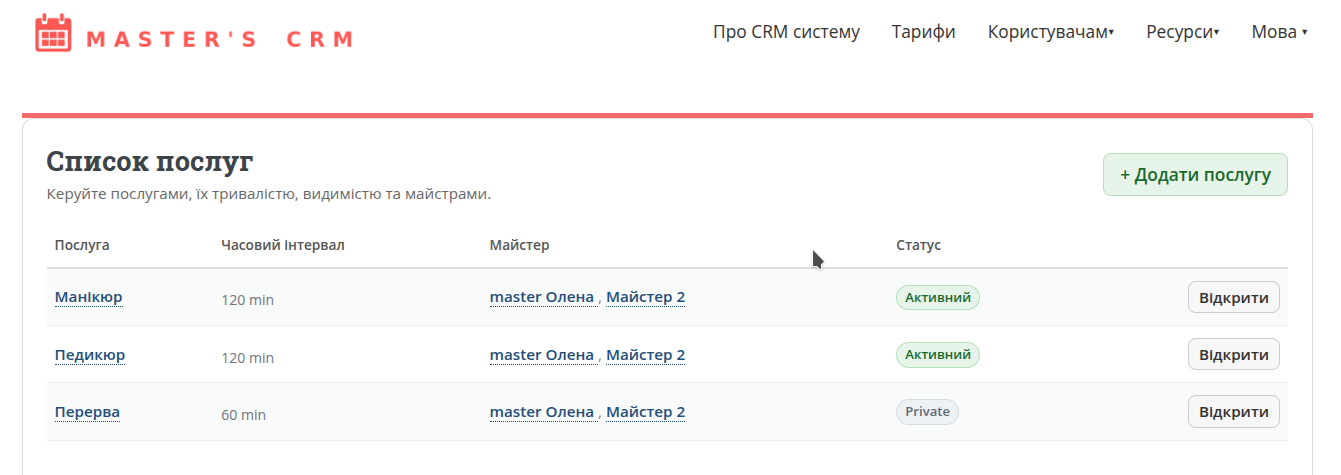
A service is a specific booking option that clients see on your page.
- service name;
- description;
- duration;
- price;
- masters who perform it.
For example: manicure, haircut, consultation, coloring, makeup, massage.
What you need to fill in
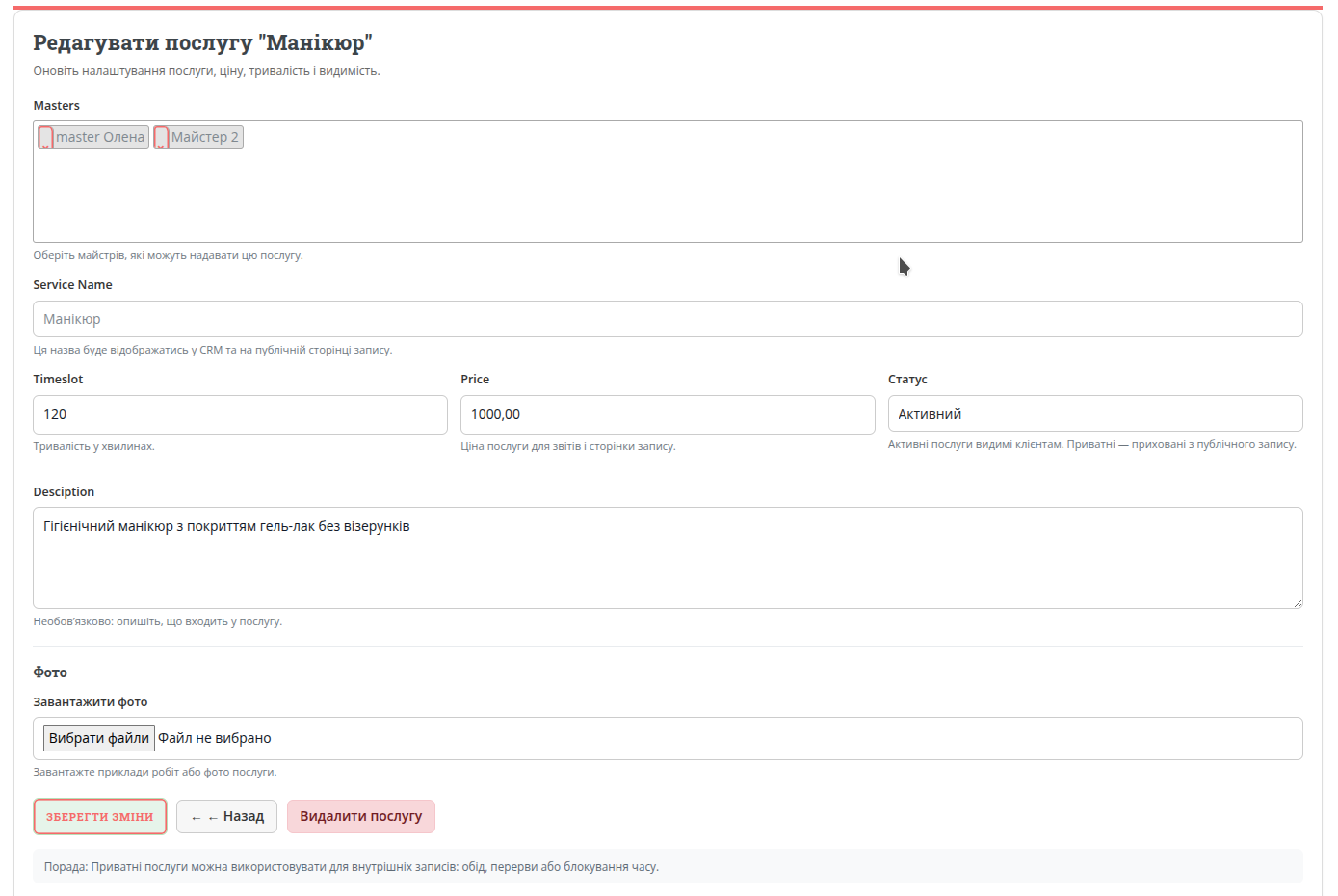
1. Service name
Use a clear and understandable name. For example: “Manicure”, “Classic manicure without coating”, “Consultation”.
2. Duration
Specify time in minutes, e.g. 30, 60, 90. This determines available slots in the calendar.
3. Masters
Select one or more masters who can perform this service. If no master has a schedule — the service won’t be available.
4. Description
Briefly explain what is included in the service. Optional. It will be shown on your public booking page.
5. Price
Specify the current price. Optional. It will be shown on your public booking page.
Public and private services
Public service
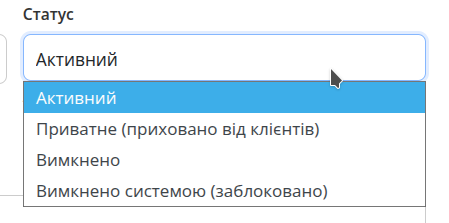
Visible to clients on your booking page. Can be booked online. Status: Active.
Private service
Hidden from clients but can be used internally. For example: lunch, break, day off, internal slot. Status: Private (hidden from clients).
Disabled service
Use this if you temporarily don’t provide a service or don’t want clients to book it. Status: Disabled.
How services affect bookings
Services directly affect how your calendar and availability work.
- duration defines slot length;
- masters define who can perform the service;
- status defines visibility for clients;
- price is used in reports and analytics.
Useful tips
Set a price
This helps you analyze financial results and understand which services generate more income.
Use private services
This allows you to block time for lunch or personal needs without changing the schedule.
Check duration carefully
Duration should include everything — there are no extra minutes between appointments.
Check how it looks for clients
After saving, review how your services and schedule appear on the public page.
What’s next
Once masters and services are created, your system is ready for bookings. Next step — understand how the calendar works and how to manage events.